AO3 News

Post Header

Published:
Wed, 01 Jan 2014 01:51:21 +0000
Tags:

Random Letter #2: How can I contact other users? Do you have a PM feature?

This is a question we get asked a lot, and we're always sorry to say that no, you can't message someone privately on the Archive yet. The feature is listed on our Roadmap, but it'll be a while yet before we can offer PMs.

On the one hand, we want to carefully consider how the new messages would fit into the current inbox layout and which features are needed right from the start to ensure user privacy and prevent abuse. We also need to optimize our mail server settings and code to handle even more emails (we currently send out around 880,000 emails per week) without getting blocked by spam filters.

On the other hand, we want to sit down with our Abuse and Support teams to come up with rules and policies to handle, for example, reports of harassment through private messages. We will also draw on their expertise in designing the feature, as they are the ones who most interact with our users.

Until we have built-in messaging, we recommend including some kind of contact information in your profile (the link to a user's profile can be found right at the top of the Dashboard / Works / Bookmarks / Gifts etc. links at the left):

If you're logged in and looking at your own profile, you will see a "Edit My Profile" button at the bottom. Once clicked, you can add links and information to your "About Me" section: your Twitter account, your Tumblr, your Dreamwidth, or anything else you feel comfortable sharing. Keep in mind that this information will be visible to everyone, not just logged-in AO3 users.

If you have any more questions, let us know via a Support ticket!

Comment

Post Header

Published:
Sun, 08 Sep 2013 19:41:10 +0000
Tags:


This is the first in a new series about frequently requested AO3 features. We get lots of feedback about things people would like to see on the site, which we take into account when developing. Sometimes people ask for stuff we already have (but which might be a bit hard to find), and sometimes we're already planning to add the feature, but can't say exactly when. Other times our answer has to be 'no', or at least 'not right now'. Since there are a few things that come up more frequently than others, we thought we'd do a few posts on the most common requests.

Random Letter #1: Have you considered making an app?

One question we get asked a LOT is whether we'll ever have a mobile app for the Archive. (Since the beginning of the year, AO3 Support has received roughly 40 requests for a mobile app, in addition to the numerous posts on Tumblr and Twitter to the same effect.) The AO3 design and coding team knows that this is a super popular idea, and they have lots of ideas about what an app could look like.

However, there is sadly no magic "App This!" button hidden somewhere in the dark recesses of our servers (we looked!), and building an app from scratch takes time and resources. Websites with official apps typically have a dedicated team of developers doing nothing but taking care of the apps (plural, because iPhones/iPads and Android devices are based on completely separate frameworks) while other people focus on the website itself. The AO3 is entirely built and maintained by volunteers, and right now we simply don't have enough developers to do this.

A few people have volunteered to step in and build apps for us, which is cool! However, in order for anyone to build an app that actually lets you log into your account and make use of most features, the AO3 would need a public API first. An API, grossly simplified, provides a set of hooks in an application (which in our case is the Archive), so other websites or apps can interact with its data. Without an API, even the most beautiful app you could build wouldn't be able to access the Archive database in any useful way.

We do plan to release a public API, but again, this will take time and resources to build. Because the AO3 is still in beta and changing a lot (you'll see on our Roadmap that we need to make some major revisions to important bits of the code), it's not really worth spending the time to build an API right now. We first want to be sure it's not going to have to change radically in the near future.

Right now, our main priority is keeping the main site running smoothly, and working on our long list of bugs and feature requests yet to be implemented. The Archive website should already be functional in most mobile browsers, and we make sure it looks good on Android and Apple devices at least.

As a sidenote, even once we have an app, you probably won't be able to carry an offline copy of the Archive with you: our database currently holds 50 GB of data, which would be tricky to get onto a phone. Of course, a dedicated AO3 app would make it easier to mark stuff for later, pick up where you left off, or download and sort works without the need for another app.

Until we can make this happen, there's lots of ebook readers for your phone that let you view .epub or .mobi files while you're offline, and all files come with Archive links so you can leave kudos or comments once you're online again. For more information, please check out our Downloads FAQ!

Comment

Post Header

Published:
Fri, 21 Sep 2012 08:57:31 +0000
Tags:

While we're not yet able to host media types other than text, we're working on making the site more welcoming to multimedia works. As part of this, we encourage users to embed podfics and vids. In 2012, Google implemented server restrictions on their media player embedding solution that many of our users had used to post podfic, causing the works to not play any more. As a stopgap, we looked at several solutions, including continuing to expand our whitelist and locally hosting a copy of the Google code. We wanted, however, to have a more open-source solution that we will be able to fully support going forward, and preferably one without too much adjustment for the users.

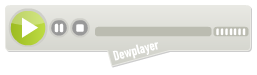
After some debate and discussion, we have installed locally on the Archive a copy of Dewplayer, a Flash-based CC BY-ND 2.0 MP3 player. By hosting the player on the Archive, we have better confidence in the safety and security of the code, and because it is licensed under the Creative Commons, we're more confident we can provide this solution for the future.

One of the nice features of Dewplayer is that it by default comes with several different player skins. We recommend the Classic and Bubble skins, and the Volume variations of each. You will still need to have your files hosted on another server for now, though. Once you have the file hosted, just replace MP3_FILE_URL in the code for your favorite player below. (We should also note that several users have reported their browser pasting smart quotes again, so be sure to convert any of those back to normal double quotes!)

Classic

the Dewplayer Classic skin
<embed type="application/x-shockwave-flash" flashvars="mp3=MP3_FILE_URL" src="https://ao3-rd-3.onrender.com/system/dewplayer/dewplayer.swf" width="200" height="27" allowscriptaccess="never" allownetworking="internal"></embed>

Classic with Volume control

the Dewplayer Classic skin with volume control
<embed type="application/x-shockwave-flash" flashvars="mp3=MP3_FILE_URL" src="https://ao3-rd-3.onrender.com/system/dewplayer/dewplayer-vol.swf" width="250" height="27" allowscriptaccess="never" allownetworking="internal"></embed>

Bubble

the Dewplayer Bubble skin
<embed type="application/x-shockwave-flash" flashvars="mp3=MP3_FILE_URL" src="https://ao3-rd-3.onrender.com/system/dewplayer/dewplayer-bubble.swf" width="250" height="65" allowscriptaccess="never" allownetworking="internal"></embed>

Bubble with Volume controls

the Dewplayer Bubble skin with volume control
<embed type="application/x-shockwave-flash" flashvars="mp3=MP3_FILE_URL" src="https://ao3-rd-3.onrender.com/system/dewplayer/dewplayer-bubble-vol.swf" width="250" height="65" allowscriptaccess="never" allownetworking="internal"></embed>

Comment

Post Header

Published:
Sun, 22 Jul 2012 21:57:51 +0000
Tags:

Some of you might have noticed in Support tickets a link to something called "Trello" or might have noticed a new FAQ about "Internal Tools", but weren't sure what these things might be. Or you might've wondered if you're the only who's seen a bug or requested a new feature. Or you might just be curious about our code.

We'd like to introduce the three public tools that we've been using to track development information for the Archive. We've been using them for different lengths of time, but haven't really advertised them. In the spirit of transparency, we thought we'd present them to you! We're hoping these tools will make it easier for you to understand what's going on behind the scenes and what we're working on.

First up is our very organized friend, the Trello Feature Requests Board. He's a detail-oriented individual who loves hearing about where our users think the Archive should go and what features our coders should implement. He records all of the requests for new features or revisions of current features. Browsing his cards, you can see features and changes that have been proposed, ones that have are accepted for development and will be coded eventually, ones that are implemented, and even ones that aren't currently possible on the Archive. He even takes notes on coders' and users' thoughts on the various features. I should note that he might not have labeled some cards clearly, so it's always worth browsing around a little.

Next is the Google Code Issues Tracker. She is our best beta, keeping track of features that have been approved for development on Trello, as well as the bugs our coders, testers, and users have found (all 3200 and counting)! She's been working for us the longest, keeping a list of everything we've broken and everything we've fixed. She's got some categories you can search by, but you can also just search by keywords.

Finally, we have the otwarchive on Github. She's the one in charge of our actual code, where the Archive gets rewritten. She'll take notes if you've figured out how to fix something, and even let you copy out the whole Archive code to work with on your own server. She's also starting to collect notes about our development and design guidelines as the AD&T committee standardizes them for the version 1.0 release.

We have a FAQ with a few more questions and answers about Trello, Google Code and Github, as well as links to all three. You can access it here: Internal Tools FAQ. If you have any questions about any of these tools or about something on them, let us know at our Support form (which also will soon have links to these tools)!

- Sam J., AO3 Support

Comment

Post Header

Published:
Thu, 21 Jun 2012 14:13:09 +0000
Tags:

The last month or so has seen lots of Fanfiction.net users joining the Archive of Our Own - you are all very welcome! As such, we've had a number of Support questions about the ways in which the AO3 differs from FF.net, so we've put together a quick primer to let you know about a few key details. (Although they're focused around the questions we've received from FF.net users, this post will also be relevant to any new user of the site.)

Getting an account

How do I create an account?

You need an invitation to create an account. This is to help us manage site growth (as you may have noticed, the recent expansion has caused a few performance issues). You can request an invitation by adding your name to the invitations queue.

The invitations queue is really long! Can I get an invitation any quicker?

Because so many people have recently moved to the AO3, the invitations queue is very long and wait times currently reach until next year. At the moment, we're still working on dealing with some performance issues, so we're not able to issue invitations any faster. As soon as we're confident we have those under control we'll review the number of invitations we're issuing and take measures to try to reduce the queue. We're really sorry we can't issue invitations to everyone who wants one right away, but we need to ensure the site can cope with the demand first. In the meantime, if you are concerned that your work might be deleted without warning, we recommend saving a copy to your hard drive so that you have a backup you can repost here or elsewhere. (And don't forget to save your reviews, which can't be reproduced elsewhere!)

I have an account - can I get an invitation to give to a friend?

We normally allow existing users to request invitation codes to give to friends, but because of the very high demand we've had to stop issuing invitation requests for now. We'll reenable this option when we have the performance issues under control - we're sorry to have to disappoint you right now.

Posting

Can I import my stories directly from FF.net?

Unfortunately, no. Fanfiction.net is blocking requests from our server. You can read more about this issue in our news post, Problems with imports from FF.net.

Can I import stories from other sites?

Yes, although there may be issues, depending on where you're importing from. To import a story, choose "post new" from the header menu and then click on the "Import From An Existing URL Instead?" button above the text entry fields. You can also go directly to the Import New Work page. For more information, see the Importing and Mass Editing FAQ and our Known Issues relating to imports.

Can I upload my story from a file?

This is not currently possible. You can copy and paste your text from a Word file or the FF.net document editor, but you can't upload or manage files.

How do I keep my formatting when pasting into the work text box?

By default, the text entry box comes up in the mode for directly entering HTML code. To paste formatted text in, click the "Rich Text" button above the box to switch to the Rich Text editor, then paste your text.

Since the Rich Text option relies on a third-party tool, which comes with its own set of bugs, there are currently several issues when pasting in formatted text. In particular, it does not work properly with Internet Explorer 9. Some of these issues should be fixed in an update fairly soon, but in the meantime you can read about them in our Known Issues. If you do have trouble formatting your work, please contact Support and we'll be happy to help you try to work around the difficulties.

How does tagging work?

There are 7 categories of tags you can enter: Rating, Archive Warnings, Category, Fandom, Character, Relationship, Additional Tags.

The Rating, Archive Warnings, and Category tags for your work are set by the choices you tick in the form while posting. You can read more about our policies on ratings and warnings in our Terms of Service FAQ. The important thing to note is that we usually consider ratings to be in the eye of the beholder, so you should use the rating that seems right to you. "Category" is the Archive term for describing a work based on its main relationship (or lack thereof), i.e. M/M, F/M, Gen and so on.

The Fandom, Character, Relationship, and Additional Tags categories are created by typing into the appropriate boxes on the posting form. Tags should be separated by commas. The autocomplete will show suggestions for existing tags, but you can also create completely new tags. The AO3's tag wranglers will link new tags to the "canonical tag" with the same meaning where possible (for example, all versions of a given character's name will be linked). To make it easier for readers to find your work, it's best to choose clear, non-ambiguous tags. You can read more about how tagging works on the Archive in the Tags FAQ.

How do I post a crossover?

Whereas on FF.net there's a special section for crossovers, a work on the AO3 can be marked as a crossover by adding all applicable fandoms as tags and, optionally, using keywords such as "Crossover" or "Fusion" under Additional Tags.

If your work is based on more than one fandom, all you need to do is to enter all the fandom names in the "Fandom" field when you post, separated by commas. So, instead of having to choose a separate "crossover" category, you would simply enter Bleach, Homestuck, Hawaii Five-O (1968) into the Fandom field. Your work will then be listed under all three fandoms. If you include the "Crossover" tag in the Additional Tags, users will be able to more easily find (or avoid) your work in the appropriate tag searches.

Can I post explicit works? Can I post explicit works featuring underage characters? Can I post Real Person Fiction?

Yes, yes, and yes. If your work is fannish in nature and abides by our Terms of Service, you can post it here. We do ask that you label your work appropriately, which can include using the "Choose Not To Use Archive Warnings" and "Not Rated" options if you prefer not to warn or pick a rating. You may also make use of Additional Tags to add content notes that aren't covered by the Archive Warnings.

Does AO3 have "communities"?

The closest thing to FF.net's "communities" on AO3 are Collections. The main difference is that the collection moderator cannot post stories to the collection personally; that has to be done by the authors of the stories. The moderator can add bookmarks to a collection, which will point to the works instead of gathering them up directly.

You can read more about this feature in the Collections and Challenges FAQ (although this section is currently in need of updating). Collections can also be used to set up gift exchanges and prompt memes.

Search

The Archive offers a search form to find exactly the works you're looking for. However, documentation of all its features is in need of an update. In the meantime, you can find lots of tips & tricks, including several example searches, in this post posts: Disabling filters: information and search tips.

One particularly useful thing to keep in mind is that because Ratings, Warnings, and Categories are all tags, you can search for (or exclude) them. So, for example, if you're looking for explicit slash but don't care for violence, you could enter "Explicit" "M/M" -"Graphic Violence" in the Tag search box along with whatever other terms (fandoms, pairings, etc.) you're looking for.

At the time of posting, browsing filters are turned off for performance reasons (you'll see the grey box where they would usually be on work pages). They'll be replaced in a few weeks with all-new filters which will give you more ways to find things on the site.

Reading

Can I make the text bigger or smaller?

Yes! We don't have these options on the individual work pages, like on FF.net. If you're a logged-in user, then you can change the text size (and most other display features) with a site skin: see the Skins FAQ for more information. If you're logged out, or if you just want a quick and easy way to change the text size, then most modern browsers will let you do this by hitting Control + or Control -, or Cmd +/- on a Mac. (This will work on any site!)

Can I make the text light on dark, change the margins, or choose a sans-serif font?

Yes, if you're a logged-in user. These options aren't on individual work pages like on FF.net, but you can change most aspects of the way the site looks with a site skin: see the Skins FAQ for more information. For performance reasons, we've had to disable skins for logged-out users. We're working on ways of bringing them back. In the meantime, if you need a modified display for accessibility reasons and you don't have an account, please contact Support and they'll help you out.

Communication and Feedback

How do I leave a review? Do I need an account?

To leave a review, just type your feedback into the comment field at the bottom of the work you enjoyed (surrounded by a grey box). You don't need to have an account - if you're not a logged-in user, you'll need to leave a name and email address (your email won't be displayed, but the name you give will).

Can I send a private message to another user?

Currently, no. This is a very frequently requested feature that has been approved for future implementation, but at the moment the only option for private communication is email. Some users opt to display an email address publicly; you can check for one by going to the user's home page and choosing "Profile" from their dashboard. Some also link to their journal accounts (such as Livejournal or Dreamwidth) or blogs in their Bio section.

Can I block a user from leaving me feedback?

No. You can, however, delete user comments on your works, including comments left by users who are logged in. If you feel a user's comments constitute harassment (see our TOS) please submit an abuse report. Note that you should not delete the comments in this case, as once deleted they cannot be recovered for review.

Can I turn off comments/kudos from users who are anonymous/not logged in?

No. For several reasons, including avoiding the exclusion of users who have not yet been able to get an invite, this is not a preference we offer to authors. Comments can be deleted, and spam comments should be marked using the "Spam" button to notify our automated spam-tracking software.

Does the Archive have author/story alerts?

Yes, called "subscriptions"--when an update is posted, subscribed users are sent a notification. You can currently subscribe to authors, stories, and series. To manage your subscriptions, click on the "Subscriptions" link in your Dashboard.

Can I see who is subscribed to me/my works?

No. We know that many users want to know how many people are following their works, so we made the numbers available in our Stats feature. (You can read more about it in our admin post about the Statistics Page.) However, to protect user privacy, you cannot see specific information about subscribers.

I want to favorite an author/work/series. How do I do that?

You can bookmark works and series. In this case, unless a bookmark is set to private, an author can see who has bookmarked their works and what notes they've added. An option to bookmark authors is planned, but hasn't been implemented yet.

More Questions and Troubleshooting

What should I read to learn more about how to use the site?

After reviewing our Terms of Service, we recommend that new users should look through our FAQ pages. We also regularly update our news posts with Tutorials, so check there often!

Where can I read updates on changes to the site or known problems?

All updates and changes will be publicised in our News Posts, many of which are mirrored in several locations, including the OTW's Dreamwidth, Livejournal, and Tumblr pages. All code updates (deploys) come with a set of detailed Release Notes, listing all bug fixes and describing major changes.

Is there a way to know if the site is down/having issues?

You can always check our Twitter feed at @AO3_Status.

Where do I go for help?

Whether it's a question, a bug report, or a feature request, you can submit it all through our Support form. We promise to take your question, suggestion, or problem seriously. You can submit anonymous feedback if you desire, but if you leave an email address we will get back to you with an answer as soon as we are able! Your IP address will be registered for spam protection issues, but that information is never available to our support staff.


Comment

Post Header

Published:
Tue, 12 Jun 2012 23:58:16 +0000
Tags:

Key information: As an emergency measure to deal with recent performance issues, we have disabled browsing filters on the site (the grey box of choices which appears on work index pages). This is a temporary measure to ensure that as many people as possible can access the site. You can still use our tags and advanced search feature to find the works you want. As an additional bonus, removing the filters has allowed us to remove the 1000 works cap on lists of works, so you can browse through all the works in your fandom! Read on for more information!

What's happening

As detailed in our recent post on performance, our coders and sys-admins are continuing to work on the performance issues we've been experiencing. We've made some server adjustments which have alleviated some of the worst problems, but we still need to make some substantial changes to fix the issues. We're aware that lots of users are still unable to access the site; as an emergency measure, we've decided to disable tag filters, which put a very heavy load on our servers. This means that the grey box with tags you can check to filter a list of works will no longer appear on the work index pages. We know this will be an inconvenience for many users, but the filters are really the 800-pound gorilla sitting on top of our database. Removing them for now will mean that people can access the site, even if they can't browse quite as easily as usual.

We've been working on significantly redesigning the part of our code that handles filtering for a while - because it's a major performance burden on some of the most popular pages of the site, refactoring this code to make it more efficient has been a priority for some time now. We're almost done with the rewritten version, but it needs more work and extended testing before we roll it out. (We want to be sure it doesn't introduce new bugs.) So, the filters will go away for a few weeks, and will then be replaced by the new, rewritten version.

One major disadvantage of the way the filters were designed was that they needed to retrieve the tags from the list of works found in order to build the filter options. This meant that we had to limit the number of works returned at one time to 1000, because otherwise building the filters would take too long. A side bonus of removing the filters is that we've been able to remove the 1000 works cap! The browsing redesign in progressaims to work around this issue, so we hope to avoid re-introducing this limitation when filtering returns.

How can I find the works I want?

Although the removal of the filters will make it harder to browse the works listings for specific things, there are still lots of ways to find the works you need.

Fandoms page

If you're looking for a specific fandom, you can browse the Fandoms page. Fandoms are organised by media type; the easiest way to find a particular fandom is to use Ctrl + F (or Command + F on a Mac) to search the page in your browser. The fandom pages will give you a list of all the works in your fandom; unfortunately there will be no way to filter that list down further.

Tags

Clicking on any tag will still bring up works with that tag, or with any tag marked as a synonym. So, if you click on Riza Hawkeye you'll get all the works tagged with 'Riza Hawkeye', 'Riza', 'Riza is awesome', etc. Again, while the filters are disabled there'll be no way to filter this list further.

Advanced Search

If you want more refined control over which works you find, you will need to use our Work Search. This feature could use a little bit of prettifying, but the underlying search is quite powerful. Use the following tips to help you find exactly the works you want:

  • A space equals AND. So, entering Fluff Friendship would find you works tagged with both 'fluff' and 'friendship'
  • | equals OR. So, entering Homestuck | My Little Pony will find you works tagged with 'Homestuck' AND/OR 'My Little Pony'
  • - equals NOT. So, entering Supernatural - Castiel/Dean Winchester will find works tagged Supernatural, but will exclude those tagged Castiel/Dean Winchester.
  • Fandom, Character, Relationship, Rating, Category, and Warning are all classed as tags (as well as the 'Additional tags'). So, you can search for works which are Explicit, or exclude works tagged 'Major Character Death'.
  • Using quotes around a phrase will search for that exact phrase. So, "Harry Potter" will get works tagged with 'Harry Potter', whereas Harry Potter will get works tagged with 'Harry' and works tagged with 'Potter'.
  • Entering a term in the tag field will only find works with exactly that tag - so searching for Charles/Erik will bring up only the few works tagged with exactly that tag, not the ones tagged 'Erik Lehnsherr/Charles Xavier' (whereas if you click on the 'Charles/Erik' tag you'll get works with all variations of that pairing).
  • The search has trouble with tags which have dashes in them. If you search for X-Men, for instance, you noticed you'll get lots with X and no X-Men. To get around this, put the tag in quotes: "X-Men".

As well as searching tags, titles, and authors, you can also search for specific word counts, hits, kudos, and dates - including ranges, which is a useful tool for finding fics in a fandom. For example, you can search for all Stargate Atlantis fics published 5-6 years ago.

Some search examples!

  • Find an explicit Fullmetal Alchemist work with the pairing Riza Hawkeye/Roy Mustang, with no Archive Warnings: Enter "Fullmetal Alchemist" "Riza Hawkeye/Roy Mustang" "No Archive Warnings Apply" Explicit.
  • Find works with Rodney McKay but without John Sheppard: Enter "Rodney McKay" -"John Sheppard".
  • Find works tagged with "Alternate Universe" in either the Homestuck or White Collar fandoms: Enter "Alternate Universe" Homestuck | "White Collar".
  • Find all explicit works tagged as angst, but excluding M/M pairings: Enter Angst Explicit -"M/M"

Search bookmarklets

If you find yourself re-using the same search parameters (only T-rated works, only works under 5,000 words, only works with over 10 kudos) for new fandoms or characters you fall in love with, you could give these custom search bookmarklets a try. They are not official AO3 tools, but made by one of our own and utilizing the Advanced Search functionality. Think of them as a saved search that lets you enter a keyword (such as a fandom name or specific kink) and spits out only the kind of work you want to see. For help in putting together your own saved search, don't hesitate to comment on the post or here.

What next?

This is definitely a short term measure, but we think it will have a big effect on site performance. In a few weeks we hope to deploy our all new search and browse features, which will restore more browsing functionality without placing the same load on the servers. We thank you for your patience and understanding while we continue to work on the problem areas.

Post edited 2012-06-13, 12.00 UTC to reflect some minor changes in functionality & bring it up to date.

Comment

Post Header

Published:
Sun, 26 Feb 2012 16:35:21 +0000
Tags:

We will soon be starting to import at-risk fannish archives into the AO3 through Open Doors. This is a central part of the OTW's mission: the preservation of fannish history. At the request of archivists, we will import works which would otherwise disappear because the archive code they are hosted on is old, because the archivist or the community can no longer afford server space, or because their maintainers are no longer able to support the archive (or a combination of all three). Archives imported onto the Archive of Our Own will be made into collections: this means they will be accessible via the main Archive, but will retain some visual distinctiveness with a unique profile and a link from each work to the parent collection.

We realize that this might raise a lot of procedural and philosophical questions, so we've recently revised our Open Doors FAQ. Below, we've excerpted some of the key questions and answers about what to expect if you have work on an archive which is being imported onto the Archive of Our Own.


How will I know if an archive with my work on it is going to be imported onto the AO3?

Before we import an archive, we'll post an Archive news post about the import and tweet about it on our Twitter account @ao3org. We will also encourage the maintainers of the archive we're importing to publicise the import on the old archive (if feasible) and in other venues where they believe affected users will see the news. Since at-risk archives are often older archives where many users have moved on and/or changed their contact details, we can't guarantee that everyone affected will know ahead of time, but we'll do our best to make sure people are aware.

How will I know when my work is imported onto the AO3?

When an import takes place, an email will be sent to every user who has had a work imported. These emails will go to the email address associated with the account on the old archive. This does mean that if you no longer have access to that email address, you won't be notified automatically - we hope that the other publicity around imports will help ensure that those people affected will hear about it. We maintain a list of imported archives in the Open Doors Special Collections Gallery.

What will happen when my work is imported onto the AO3?

When your work is imported onto the AO3, several things will happen:

  • We'll send an email to the email address associated with the account on the archive that's being imported, letting you know you can come and claim your works.
  • If you already have an account on the Archive of Our Own, you'll be able to claim the works and add them to your existing AO3 account.
  • If you don't have an account on the Archive of Our Own, you will be invited to create one, and will be able to claim your imported works and associate them with that account.
  • Your imported works will be locked to logged-in Archive users by default.

What if I don't have an account on the AO3?

When an archive is imported onto the AO3, you'll be notified by email. If you don't already have an account, you will be invited to create an Archive account (without adding yourself to our regular invitations queue). Yay! If you do already have an account, you'll be able to claim the works for that account.

How will I get control over my imported works?

If you have access to the email address associated with the account on the old archive:

  • You will receive an email letting you know your works have been imported and giving you the following options:
    • Claim the works on the Archive of Our Own and create a new account which they will be associated with (this means you get an AO3 account if you don't already have one). You can then edit, delete, etc, the same way you would with any work you posted on the AO3.
    • Claim the imported works and associate them with your existing AO3 account. You can then edit, delete, etc, the same way you would with any work you posted on the AO3.
    • Delete the imported works. If you do this, you will also have the option to prevent any future works associated with that email address being imported onto the Archive.
    • Orphan the imported works. This leaves the works on the Archive, but removes them from the control of any user account. You can choose whether to remove the name they were associated with on the old archive, or leave it displaying as a pseud.

If you don't have access to the email address associated with the account on the old archive:

  • Contact the archivist who is maintaining the new collection - contact details will be given on the profile page of the collection.
  • Contact the Open Doors team.

How will people be able to find my work?

The imported archive will be made into a collection on the Archive of Our Own, so it will remain individually distinct and can be browsed independently of the main archive. Imported works will also be accessible from the main Archive pages (so you may get some new readers!). Where possible, we will implement redirects from the original archive domain to the Archive of Our Own: we will publicise this on a case-by-case basis.

What if I have already posted a copy of the works being imported on the AO3?

If you imported the work from the original archive using our import feature, then the work will not be imported again and your existing copy will be associated with the collection. If you posted the work manually or imported it from a different url, then you will need to decide what to do with the duplicate work. You can:

  • Keep the version you posted manually and add it to the collection created for the imported archive. In this case you will wish to delete the duplicate copy.
  • Delete the version you posted manually and claim the version created during the Archive import.
  • Claim the imported version and choose to keep both versions (you may wish to do this if both versions of the work have comments and/or kudos, as there is no way of transferring comments from one work to another).

Will my comments / reviews from the old archive also be imported?

Our aim is to import comments and reviews, because we are keen to preserve fannish history, which includes the way people interacted with the work. However, this functionality depends on the setup of the original archive, so this will be determined on a case-by-case basis and information will be made available for each individual archive import.

Why are you importing archives onto the Archive of Our Own? Why not just save the entire archive and host it on the OTW's servers?

Preserving fannish history is a central part of our mission - we love the plurality of fandom and want there to be many individual archives, but we want to ensure that if someone can no longer maintain an archive, this bit of fandom isn't lost. We'd love to be able to preserve the archives themselves, but the resources required are too big: each archive would need its own server space, a team of coders able to update and/or rewrite the code behind it, some dedicated mods, etc. By importing archives onto the AO3 but making them into distinct collections, we are able to save the wonderful fannish creativity and a little of that individual identity, while ensuring we only have to support one set of code, one lot of servers, and one support team.

I have more questions! Where should I ask them?

Please contact the Open Doors committee.

Comment

Post Header

Published:
Wed, 21 Dec 2011 14:00:03 +0000
Tags:

As a number of users have already noticed, imports from Fanfiction.net are not working at present. Our coders have investigated, and it seems that FF.net is blocking requests from our servers. We're not sure at this stage whether this is specifically directed at us or whether it's a side effect of some other action; either way, it's not an issue that we can fix on our end. We're currently reaching out to the folks at Fanfiction.net to see whether we can resolve the problem; however, at present we don't have any ETA for a fix.

We apologise for the inconvenience - thanks for your patience while we figure out this issue!

ETA: This problem also affects bookmarking of works hosted on FF.net, since making an external bookmark involves pinging the site to check it's a valid url. We'll keep you updated as we figure out ways forward with this problem.

Comment

Post Header

Published:
Sat, 12 Nov 2011 00:42:03 +0000
Tags:

This reference list of new skins was compiled by front-end coder lim. Lots of modular skins have been created to modify different aspects of the Archive. You can combine different skins to get exactly the look you want. More info coming soon on how to get the most out of the new skins!

Reference and Teaching List of Completed Skins

I've tried to comment quite extensively inside the skins.

  1. Blurblings

    Shows, hides, and rearranges the blurb. You can chain these together to perfect your metadata display.

    1. Hide warnings
    2. Hide stats
    3. Hide summaries
    4. Hide tags
    5. Hide fandom
    6. Hide datetime
    7. Hide freeform tags
    8. Hide relationships
    9. Hide characters
    10. Hide nearly everything (except the title, author, fandom)
    11. Hide everything except the header
    12. Show the landmarks (landmark headings on tags, summary, etc)>
    13. Blurb drop drops the blurb group entirely (makes a plain text blurb)
    14. Shipper emphasises the relationship tags
    15. Faint Warning de-emphasises the warnings
    16. Chain Example demonstrates chaining.
    17. Byline Breaks the tags out into blocks by type (updated version of a skin by Branch so doesn't use the blurblings nomenclature).
  2. Workings

    Similar to blurblings, but modding the work view

    1. Hide meta
    2. Hide author notes
    3. Hide author summary
    4. Big margin
    5. Max Width restricts the work width to 39em
    6. Fix Actions Right fixes the bookmark/save etc buttons to the right of the page as you scroll
    7. Fix Actions Left fixes those left
    8. Hide feedback
    9. Hide kudos
  3. Typeset In My Ways

    This series is tarted up code from our very first Accessibility, Design and Technology meetings in 2007. Very stark, very simple text styles.

    1. Typeset In My Ways Uses the Archive typography and layout, with plain text blurb and a limited width work view.
    2. Typeset In My Ways Erasure drops all archive parents except core and loads a simple typographical style.
    3. Typeset In My Ways Sans simple sans serif text.
    4. Typeset In My Ways Serif simple serif text.
    5. Typeset In My Ways Negativity light on dark
    6. Typeset In My Ways Terminal simple console/terminal style
    7. Typeset In My Ways Scully simple Word Perfect style
    8. Typeset In My Ways 2.0 uses Archive 2.0 style but plain text blurb and big margins.
    9. Typeset In My Ways Landmarks shows the landmarks and lays them out
    10. Typeset In My Ways Textura adds a (subtle) textured background
  4. The Screeny

    various screenreader optimisations

    1. Screeny Exposure! exposes all landmark headings to the readers that can't read them.
    2. Screeny Oppression! suppresses all landmark text.
    3. Screeny Drop It drops all archive parents except core
    4. Screeny She's Got Form drops all archive parents except core and interactions.
    5. Screeny Shut It Any component you don't care to read, add to the beginning of this code, or remove ones you do want. Remember to separate with a comma!
  5. Parental Guidance

    1. Colour Flip Combos a reference skin grouping the archive into a 5 level colour and contrast palette.
    2. Key Colour Reference this lists everything that is red.
    3. Exploded Worker this is an advanced parenting reference parent. *g* It explodes the archive 2.0 cascade into all its component parents, so you can live edit the CSS in tabs with a plugin like Firefox Web Developer. Only use this for reference, because it will slow down your page load.
    4. Trouble O'Head zeroes out the default background, borders, and shadows on the header navigation. This is useful to just parent in when you don't want to drop the whole AO3 header region style.
    5. Region Drop this is an advanced parenting parent for replacer layouts. It drops header, dash, footer, and main from AO3 default. In most cases you're better off overriding instead. Check out Trouble O'Head for fast header overrides and the Tile Puzzle series to move the dashboard around with overrides.
  6. Graphical

    I've uploaded a ton of tiling textures you can call to decorate your layouts. There are loads more graphical styles to come but this is what I could do with two days notice!

    1. Simply Twilling introducing textures - this is a simple override CSS3 skin that demonstrates how you can leverage region and group transparency to build dramatically different styles quickly.
    2. Threw Twill Out an introduction to parenting.
    3. Desk Job a template "desk top" layout you can adapt to your own design. [needs a bit of testing so have not preloaded sorry]
    4. Panda Madness this is like, pink and round and it has pandas on it
    5. The Hustings a stripped down version of a more complex theme made ready quickly for deploy
    Chained Melody

    Here I'm demonstrating breaking a css3 theme apart into components so each piece can be used in other skins. There are brill free fonts to download linked in. CSS3.

    1. Chained Buttons
    2. Chained Head hover the icon
    3. Chained Groups
    4. Chained Quotes
    5. Chained Icons
    6. Chained Key (colours, fonts, background)
    7. Chained Melody the whole lot chained together
    Fixie

    A fixed region layout, again with components you can use in other skins pretty easily, but this one drops components of the site style: it doesn't just override them, it replaces them. Free fonts to download linked . IE7 and up

    1. Fixie Fix explodes the site layout and takes out portions of it, then fixes the regions: header, dashboard, footer, and scrolls the main region. This is "parent only" meaning you have to chain it in to a style - it doesn't work on its own as a layout.
    2. Fixie Buttons makes scribbly buttons with Mido font
    3. Fixie Icons make scribbly backed icons
    4. Fixie Groups this makes some swooshy CSS3 rounded boxes
    5. Fixie this chains everything together to make a layout!
    6. Fixie Free Wheel (coming soon) this spoofs the basic look of Fixie, but as an override skin, and with normal scrolling regions.
  7. Palettes

    Colour changes, some based on the most popular colour changes in the old skins system

    1. Mono black and white where red all over
    2. Zebra Mono black and white where red all over, with zebra fur detail
    3. Reversi light on dark, with blue key
    4. Dusted off based on Dusty Rose by sistabro
    5. For the trees based on Sunny Forest by enigel
    6. The Blues based on Medium Blues by Arduinna
    7. Snow makes everything that is very light lavender pure white. Useful to chain in.
    8. Snow Blue
    9. Get the Backers makes all the group backgrounds white.
  8. Tile Puzzle

    1. Wide Horizon Horizontal dash in blocks
    2. Dash Line Horizontal dash, inline
    3. Eyes to the right Right side dash
    4. 100% width filters
    5. Stick It sticks the secondary (page specific) navigation to the left and fixes it there
    6. Mark My Words Shows all landmarks and gives some minimal visual style
    7. Slim Shaded makes a slimmer, texty header, with a shaded strip, snow body, and lowercase buttons
    8. One Point Faux spoofs the old style on top of the new style. Might look slightly different to the original old style, but broadly the same.
    9. 2 Point No takes off all the box shadows, text-shadows, and rounded corners
    10. Look and Read swaps the logo for a text title: "Archive Of Our Own
    11. Imago swaps your header icon for a text greeting: "Hi, username!"
    12. Incommodious takes off the commas we add into long lists of inline tags, if you find them odious!
  9. Wiggle It

    Some pure CSS3 mods. Modern browsers only.

    1. Head Buoy slides the header up out of sight and slides down on hover.
    2. Sliders slides the meta header off a work and slides out on hover.
    3. The Bubbler probably the most useful skin here. Bubbles everything. No animation.
  10. Mash Up

    So you can just stick on different buttons.

    1. Aqua Buttons You can just swap the buttons, or use them in a more complicated layout.
    2. Gel Buttons showing how you can change the colours for a different effect.
    3. Scribble Buttons pencil scribble buttons good for paper styles.
    4. Massive Buttons they're really big and bold.
    5. Don't Care A Button makes the buttons just plain text.
    6. Dusted Buttons chain in Dusted Rose

Comment

Post Header

Published:
Thu, 15 Sep 2011 19:23:22 +0000
Tags:

The number one topic for support requests on the Archive of Our Own is the 1000 work limit on search and browse results. This was an early stopgap measure to prevent the servers from going 'splodey, and initially it didn't matter much, because there weren't 1,000 works of anything. But nowadays, if you want to read, say, Stargate Atlantis fic, with over 10,000 works, clicking on "Stargate Atlantis" brings up less than 10% of the available fic. This is understandably annoying to our users!

Eventually there will be fixes to the 1,000 works cap; the problem is being worked on (as evidenced by the 502s, server-'splodeyness is still a concern). Until then, however, there are still plenty of ways around it! If you're a completist trying to see all the fics, here's a few tricks to help you out:

Sort by: at the top of every works list page for a tag (such as works in a fandom, e.g. Stargate Atlantis, or works for a character, relationship, or additional tag) there are various ways to sort. The default is by published date, descending (newest to oldest); you can also sort by author, title, or my favorites, hits and word count. (After the next code update, you'll also be able to sort by the date added to the site - this will make it easier to find works added to the site recently, but backdated to the date they were originally written.) This sort covers all the works under the tag, not just the 1,000 listed. If there are less than 2,000 works in a fandom, you can easily access all of them by reversing the sort order - e.g. click on "Date" and it will sort by oldest to newest, bringing up all the early stories you missed in the first run of 1,000. So I can browse the most recently published Homestuck, and then the earliest published Homestuck, and thus catch all of the 1,600+ HS works on AO3.

I like to sort by word count myself, since I like reading longer stories; sorting by word count in SGA, for example, gives me all the SGA stories on the Archive over 9,000 words. On the other hand, if I'm in the mood for something short, you can click on Word Count again, and it will sort in ascending order (smallest to largest), giving me 1,000 fics all under 300 words.

Obviously that leaves out a bunch of fics in the middle. But there are other ways to browse:

Tags and filters: AO3's tagging system isn't perfect but it's still awfully nifty and convenient now. You can access tags two ways - either by clicking on the tags themselves on any work, or by checking the filters on the right to combine tags (note that the "or" feature is a bit broken; "and" works fine though, if I only want to read mature-rated McShep.) Tag results can be sorted, same as described above (so you can see all the long McShep stories first). Tag results are still limited to 1,000, and there's far more McShep than that - but if you narrow the results further (say, filtering by AU) then you can see all 873 McShep AUs currently on AO3.

One thing to note when using the filters: the work counts you see next to a tag in the right sidebar only are counting the works in that first 1,000. So the numbers will be off - they might only show 300 works, but when you filter by them you'll get many more. So even if a tag only shows a few works, it still might be worth filtering by it. (Also, ways to filter by language and by complete vs WiP are coming soon.)

But wait, there's more:

Search & Advanced Search: Currently there's no way to negatively filter tags in browse (i.e. subtract a tag from results, rather than add it.) This feature is coming, but until then there are still ways to run a negative search, by using search - simply enter a search term with a hyphen before it. E.g. searching "Rodney McKay" -"John Sheppard" will find you fics with Rodney but without John.

In the search bar, a space will equal AND, finding works with everything entered. You can also do OR searches, using |, to find works with either one thing or another, and you can combine these. So searching "Alternate Universe" Homestuck | "White Collar" will bring up works tagged with "Alternate Universe" in either the Homestuck or White Collar fandoms.

The advanced search feature is even more powerful - as well as searching tags, titles, and authors, you can also search for specific word counts, hits, kudos, and date - including ranges, which is useful tool for finding fics in a fandom. For example, you can search for all Stargate Atlantis fics published 5-6 years ago.

The date tool is a bit clumsy for finding all the fics, however; the word count search is probably better for that. To bring up all the fics, start with a range, e.g. 0-200. Then, once you've looked over those results, increment it, 201-500. As long as the results it brings up are less than 1,001, you are seeing all works within those parameters on the Archive. In that way you can fairly quickly go through all the fic in any fandom, or for a specific tag or tags.

A couple of notes about Advanced Search - like the rest of AO3 it's in beta and has its kinks. In particular it has trouble with tags with dashes - if you search for X-Men, for instance, you noticed you'll get lots with X and no X-Men. To get around this, put the tag in quotes: "X-Men". Also keep in mind that presently, unlike filters, searching for tags only brings up works tagged with that specific tag. So searching for "Charles/Erik" only brings up a handful of fics, while clicking on the tag "Charles/Erik" brings up the wrangled tag Erik Lehnsherr/Charles Xavier.

Hopefully this will help improve your AO3 experience! If you have any other tricks and tips, or questions about how to do any of this, please leave a comment below!

This is a modified version of an original post by Tag Wrangling Committee member X-parrot - thanks for allowing us to repost, X-parrot!

Comment

Post Header

Published:
Thu, 28 Jul 2011 15:17:54 +0000
Tags:

A quick tip of the day: if you request an invitation from the site or if a friend sends you one, you should receive an email with a link for signing up. If someone copies a code for you to use, however, you may not have the url. In that situation, you can sign up by going to http://ao3-rd-3.onrender.com/users/new?invitation_token=YOURINVITATIONCODE, where you replace that last bit with the code you've received.

And welcome to all our new users - we're very happy to have you!

Comment

Post Header

Published:
Sat, 07 May 2011 23:17:52 +0000
Tags:

From time to time, when people ask us about invitations for the AO3, they say things like 'I don't write fic, so I don't want to take an invitation away from someone who wants to post on the Archive'. One of the things we love about fandom is this considerate attitude - but we definitely don't see it that way! On the contrary, we think that 'consumers' are just as important to fandom as creators. After all, there wouldn't be much point in creating art, fic or vids if there was no one out there enjoying it! For this reason, we're more than happy to give invitations to people who don't plan ever to post anything on the Archive. In fact, we have a whole bunch of account features which are specifically aimed at the consumer rather than the creator. If you've been wondering whether there's any point to you having an Archive account, here's a rundown of some of the cool features which come with it!

Subscriptions!

Our recently introduced subscriptions feature is our 'killer app' for account holders! You can now subscribe to an author and receive an email every time they post a new work or a new chapter. We have lots more features planned for this (we're just taking it slow to avoid the Archive exploding), so this will only get better. If you like to keep track of what people are posting on the Archive, you definitely need an account.

History

There's that great piece of fanart you saw last week, but now you can't remember who it was by... With the AO3 history feature, you can look back to see which works you viewed on the Archive and when! It will also tell you whether they've been updated since you last looked at them. We have more features planned for history - most importantly, we reeeeeally want to make it possible to filter so you can see, say, all the Sailor Moon works you have viewed - we're just trying to fit them into our coders' time.

Mark to read later

Seen a 200,000 word fic ten minutes before you have to leave for work? You could start reading and risk incurring the wrath of your boss - or you could mark it to read later and have it added to a handy dandy list for the next time you have some uninterrupted fannish time. Works marked to read later are added to your history - you can filter to show just the works you marked. When you're done reading, hit 'Mark read' to take them off the to read list.

Bookmarks and recs

Found a wonderful work of art which you want to be sure of finding again? You can bookmark it with an AO3 account - even if it's not actually hosted on the AO3. When you're logged in, all works on the Archive have a 'Bookmark' button at the top. Our Bookmark external works page has a handy little bookmarklet - just drag to your bookmarks, and then the next time you see a genius vid on Livejournal, you simply need to click the bookmarklet to bookmark in AO3. For works which you particularly loved, you can mark a bookmark as a rec. Once again, we have tons of improvements we'd like to make for bookmarks - browsing filters are top of that list - but we think they're already handy for keeping track of stuff you've loved.

Archive skins

Hate the default font on the Archive? You can change that - and almost everything else about the way it displays - by using Archive skins. You can choose from skins other people have made, or design your own. See our Skins tutorial for more information.

Site preferences

When you're an account holder, there are lots of preferences you can set to make using the Archive a more pleasant experience. You can choose never to see 'adult content' warnings on explicit works. You can choose to have all chaptered works show as a single page rather than chapter-by-chapter. You can opt never to see warnings or freeform tags. You can disable custom styling on other users' works. Preferences are handy things to have.

Signed, trackable comments and kudos

As a logged in user, your comments will be signed by you by default, and when someone replies you will get a notification. You can keep track of all comments addressed to you in your user inbox, as well as having them emailed to you (and you can opt out of the emails if you prefer). When you're logged in, the kudos you leave will be signed by you (otherwise it shows as guest kudos).

User icons

If you have an account on the Archive, you can have a user icon! This will show up wherever you leave a comment, as well as on your user profile.

Access to restricted works

Some fans prefer to make sure that their fanworks aren't accessible to just anyone stumbling in from Google (we know this is especially important to people who create RPF). When posting on the Archive, they can choose to lock their works to Archive account holders only (currently 1,503 works are restricted). You need an account to see these works!

We hope the above features make AO3 accounts valuable to all users, whether or not they are using them to post works. If you'd like an account, simply add your email address to our invitations queue. Wait time is currently less than a week!

As you may have noticed, we have lots of plans for making even more awesome features for AO3 accounts. However, our coders are few and our to-do list is big! If you'd like to help make things even shinier, we always welcome volunteers!

Comment

Post Header

Published:
Tue, 16 Mar 2010 19:41:03 +0000
Tags:

The information in this news post is out of date. It is being kept for archival purposes. The Tag Wrangling Committee is working on new documentation that represents the current state of tags. You can view our current wrangling guidelines for more accurate information.

What are metatags?

Metatags are a new form of tag that add to the ability of the Archive of Our Own to manage hierarchies and ambiguities in our tagging systems. They will let us deal with real person fiction, shared universes, and other complex tag relationships much more effectively. For example, the Spock metatag (illustrated below) contains Mirror!Spock, Spock Prime, Reboot!Spock, and Girl!Spock as subtags.

The Spock metatag

Metatags act as a "basket" for other tags, whilst remaining a usable tag themselves. They collate tags, in order to group similarities and to make browsing easier. Tags which have been grouped together become subtags. In a real world example, "fruit" could be a metatag, and "apples" and "oranges" could be subtags.


How will metatags help me browse?

Metatags will help you because they allow you to both see everything that's related and to narrow your focus.

For example, if you browse the fandom metatag for "Star Trek" you will retrieve all works which have been tagged with related fandoms - "Star Trek: The Original Series", "Star Trek: The Next Generation", "Star Trek (2009)", and so on. You will also retrieve works which have just been tagged with the fandom tag "Star Trek", which could conceivably be any of the aforementioned fandoms.

You will still be able to browse the works tagged with a specific tag, for example "Star Trek: The Original Series" instead, but in bringing these tags together you have more chances finding what you are interested in, since users may tag differently.

Because metatags can be used to filter very generally, it will now be easier to narrow your focus by filtering on their subtags. See the example in the following table, where you can choose to only browse stories tagged with Girl!Spock rather than the generic Spock.

Filtering by metatags and their subtags

What other changes will I see?

Because metatags are new, we're still working out some of the finer details on how to use them. We'll be running some more posts on tag wrangling and how it works in the near future.

Our intrepid team of tag wranglers need to recategorise the existing tags on the Archive in order to take advantage of the new functionality. You may notice some inconsistencies or changes while this process is going on - please bear with us! If you notice something which seems like a mistake, then you can let us know via the Archive support and feedback form, but if it's non-urgent, then please wait a few days in case the tag wranglers just haven't reached it yet!

Comment

Post Header

Published:
Sat, 26 Dec 2009 06:47:14 +0000
Tags:

We choose that you can no longer choose to choose not to warn for--wait, I'll come in again.

Based on your feedback, we've decided to eliminate one of our previous Archive Warnings: "Choose Not To Warn for Some Content." While it was meant to give users additional flexibility, feedback revealed that it was just too confusing. So there will now be only one opt-out tag, represented by a new icon, (which combines and clarifies two previous ones): "Choose Not To Use Archive Warnings."

But what are Archive Warnings exactly? There are two answers to this question.

1) There are six in all. Four designate particular content: major character death, underage, rape/noncon and graphic violence; the other two are "No Archive Warnings Apply" and "Choose Not To Use Archive Warnings". All stories in the AO3 must carry at least one of these descriptions.

2) They are enforceable; that is, if a story in the AO3 features major character death, underage, rape/noncon, or graphic violence without being labeled as such (or without you being told that the author has chosen not to warn for these tropes in this story), you can report that story to Abuse.

So why this system? To allow users to roam the AO3 with reasonable confidence that they will not encounter these four things if they don't want to. (But click on a story labeled "Author has Chosen Not To Use Archive Warnings" at your own risk!)

Q & A:

"How does this affect stories I've already posted to the Archive?"
If you warned for Rape/Non-Con, Graphic Violence, Major Character Death or Underage, then those warnings will stay exactly as they are. If you chose Choose Not To Warn or Choose Not To Warn For Some Content, these will be merged into Choose Not To Use Archive Warnings. We hope this makes the choice easier for the author and more comprehensible to the reader; we also hope that it makes clear that this field doesn't represent all warnings: just the four the AO3 enforces.

"Why these four 'Archive Warnings' and not others?"
We chose those four for a mix of practical, historical, and technical reasons, but the bottom line is enforceability. The AO3 allows for an infinite number of customizable warnings through additional tags, which allow users to search for content they want and avoid content they don't want. But Abuse can't be responsible for the accuracy of all those tags. By limiting the number of Archive Warnings to four--major character death, underage, rape/noncon, and graphic violence--we can provide broad categories of content for people to seek out or avoid. We think it's better to have four than none, since we can't have all warnings be Abuse-enforceable.

"And if I don't want to warn for anything?"
We've got you covered: you can choose "Choose Not To Use Archive Warnings" when you post. Readers who absolutely must know if a story contains major character death, underage, rape/noncon, or graphic violence might avoid your story.

"What if I don't have major character death, underage, rape/noncon, or graphic violence in my story?"
Choose "No Archive Warnings Apply." Please note that this doesn't mean that the story is "safe" or that there's nothing to be warned for. It just means that there are no Archive-enforceable warnings: i.e. no major character death, underage, rape/noncon, or graphic violence. But there could be additional author-added warnings in the tag field, or listed in the summary or notes of the story, or there could be something else that offends or squicks you. But there shouldn't be major character death, underage, rape/noncon, or graphic violence; if there is, please report the story to Abuse.

"I want to warn for something beyond those four things."
Please do! You can add any other warning you want to any story, either in additional tags or in the summary or notes. We also encourage everyone to develop their own warning (or "don't wanna warn") policy and post it to their profile page.

"What about dubcon?"
Dubcon, or dubious consent, is probably the number one additional warning requested by users, and while we've discussed it many times, we just don't think it's enforceable. The label "dubcon", by definition, is applied to dubious cases and blurry situations, and we don't think it's possible for Abuse to judge if a story fits the criteria. That being said, a story's author tends to know if her own story is dubcon, and so we encourage authors to warn for dubcon when appropriate through the tag system. Readers can also use bookmarks, or comment to the author, but we don't feel comfortable potentially subjecting the author to a penalty over the definition of dubcon.

Mirrored from an original post on the OTW blog.

Comment

Post Header

Published:
Tue, 17 Nov 2009 19:31:24 +0000
Tags:

The information in this news post is out of date. It is being kept for archival purposes. The Tag Wrangling Committee is working on new documentation that represents the current state of tags. You can view our current wrangling guidelines for more accurate information.

Zvi, in a moment of inspiration has written up a fabulous explanation of how Tags Wuzzles work and has generously offered to let us post it.


Tags Wuzzles explained

Tags are mysterious deep voodoo a mix of freeform (everyone picks their own) and controlled vocabulary (everyone picks from a list of pre-existing tags). They are not being handled like any tags anywhere else in computing that I am aware of. So, just, forget what you know from del.icio.us or blogging or the library card catalogue. Start with a blank slate.

In fact, instead of calling them tags, we shall call them wuzzles. Just to make it clearer that wuzzles are different from all other tags.

Okay, first of all, you should know that all of the fields in the Story Tags Wuzzles box are wuzzles (Story Wuzzle box illustration), not just the field labeled Tags Wuzzles. So fandom names are wuzzles and character names are wuzzles and warnings are wuzzles and angst (if you put it in the Tags Wuzzles field) is a wuzzle.

Screenshot of the Post Form with Wuzzels identified

You can write anything you feel like down as a wuzzle. You could write dirty socks or a boy named sue or antidisestablishmentarianism. You could write wuzzle as a wuzzle.

However, behind the scenes, there are Tag Wuzzle Wranglers, who are automagically in a labor intensive, thoughtful, solomonesque process, trying to bring the wuzzles together, so that even though I write Star Trek: AOS as a fandom wuzzle, and you write Star Trek XI as a fandom wuzzle, and StarFleetAdmiral writes Star Trek Reboot as a fandom wuzzle, when ExampleTheFan clicks on the fandom wuzzle Star Trek (2009), they get shown all three of our stories.

This is (a) pretty doable for TV shows and characters (Wranglers check Wikipedia and official sources to find out the official name) and (b) highest priority for fandoms and characters, because those wuzzles are the ones that everyone uses. There are elaborate rules describing how they pick one wuzzle [Star Trek (2009)] as the canonical wuzzle (canonical here refers to the archive software and what shows up on filters and in certain URLs) and make the other wuzzles (Star Trek XI, etc.) synonym wuzzles.

But why are some of the wuzzles not in the filters or the tag wuzzle cloud? Well, the Tag Wuzzle wuzzles are a slightly lower priority for wrangling in the first place. Also, it's harder for the Wranglers to decipher exactly what you meant by a weird wuzzle like a boy named sue. Also, also, even when it's clear what something means (like cunnilingus, which is pretty unambiguous) it's not always  clear what other wuzzles it should go with (should rimming, cunnilingus, and fellatio all get wrangled together as oral sex? or should they be separate?) So if nobody has yet wrangled a wuzzle (which, in addition to figuring out if it is like these other wuzzles, also includes important responsibilities like making sure the correct spelling is the official wuzzle, and making sure that even if the fandom and a character have the same name e.g. Buffy/Buffy, they are separated in the database), then you get the unwrangled wuzzle message:

This tag belongs to the Tag Category.

This tag has not been marked common and can't be filtered on (yet).

Basically, the wuzzles are not automated and depend on human volunteers to do what needs doing, and the volunteers can't do everything at once, in the first part, and have to make actual decisions in the second part.

Also, also, also, they realised that they needed to make a way for a wuzzle to be a subset of another wuzzle, like Backstreet Boys and *NSYNC need to be sub-wuzzles of Popslash, so that if you click on the Popslash wuzzle you get both of those, but if you click on *NSYNC, you don't get Backstreet but the code for this was tricksy, so that’s not built yet.

And there is yet a third sort of wuzzle that they need, the ambiguous wuzzle. This is so that if someone labels their story bandslash, the archive can stay completely agnostic as to whether this means six degrees of Pete Wentz or any professional musicians at all. Code for that has not been written either.

Which still leaves the more normally ambiguous wuzzles, to wit: is badassery the equivalent of kicksass, and other existential wuzzle wrangling musings.

If you think your wuzzle has been wrangled the wrong way, send a support request! The Wranglers are doing their best, but your story may be the first time they have ever heard of your fandom, or the first time they've ever read the word you're using as a wuzzle, or they may just have thought about what you wrote differently than how you meant it. Once upon a time, safer sex and unsafe sex were wrangled together, because they were both about sex. I pointed out that they mean the opposite of each other, and now they are separate (but, sadly, unwrangled) wuzzles. Don't forget, if you're not sure what wuzzles to use, you can add them later or change them to something else once you figure it out.

Comment

Post Header

Published:
Sat, 14 Nov 2009 16:10:22 +0000
Tags:

We're now eight hours into Open Beta for the Archive of Our Own, and we're really excited to see people signing up and using the Archive. So far, we've seen new 493 accounts created, and our new users have added more than 1500 new works in over 150 fandoms! Our lovely front-end coder and support volunteer Cesy has been tracking our progress with some beautiful graphs: New users and fandoms since Open Beta and New works since Open Beta.

If you have questions about what Open Beta is and how to get an account, please check out our Announcing Open Beta post \0/

Open Beta is still beta, and as such the site still has a few kinks. We really value the feedback that our new users have been giving us, and our lovely Support team are working hard to respond to queries as fast as possible. In order to keep our users informed, we'd like to highlight a few of the more common issues and questions here:

Invitation queue


If you sign up via our invitation queue and have trouble entering your email address, check there aren't any extra spaces before or after it. This has been causing a few problems with our validation - it's a bug that will be fixed very soon.

If you joined the invitation queue and when you check back it says you're not in the queue, then please check your spam for your invitation email. If it hasn't shown up, then submit a support request and we'll get back to you as quickly as possible.

Invitation codes


If you receive an invitation via email, you can just click on the link to get to the sign-up page and your code will be entered automatically.

If you are an existing user of the Archive and you'd like to give a code to a friend, then you need to give them an invitation link, not just the raw code. You can choose to send them an email via 'Invitations' on your user home, and this will happen automatically. If you want to share a code without sending an email, then go to 'Manage invitations' and you'll see an option to 'Copy and use' your existing codes. Click on this to copy the invitations link - it's this that you need to share with people.

Account names


The Archive of Our Own allows you to post under various pseuds. However, these are linked to your account name, and this name will be displayed publicly on the site. Therefore, ensure your user name is one you don't mind other people seeing! Please also take care entering it, as it's difficult to change once it's been created.

We'll be improving the information text on the account creation page shortly to make this clearer - sorry to those of you who were confused.

Problems with special characters


We are experiencing some problems with special characters such as em-dashes (the long 'double hyphen'), umlauts and accents. In some cases, these characters will cause posts or imports to be cut off. If this happens to you, a workaround at present is to use the raw html coding for the special character (see this list of html entities for reference). We're working hard to put in a proper fix as soon as possible. (We hope it won't discourage posting in languages other than English in the meantime - we're excited to see works in Czech, German, French and Spanish already!)

We'll keep updating our Known Issues page on the Archive of Our Own with any further bugs that arise, and you may also find the Archive FAQ helpful. We'll also be posting regular Archive News Posts on the AO3 (mirrored on the OTW News blog and mirrors) to keep everyone up-to-date on new developments.


Despite a few inevitable bugs, Open Beta has been going really well! The shiny AO3 servers (owned by fandom, y'all!) are holding up really well under the vigorous workout they're receiving, and we're totally jazzed to see people using and enjoying the Archive. Thanks so much to everyone who got us here! <3

Comment


Navigation